In February, the SharePoint team released a Visual Studio extensions kit for SharePoint development. Just recently they released a user guide complete with samples and walkthroughs. The sections include:
- Starting out in SharePoint Development
- Walkthrough of the VS extensions
- Team Site project
- Blank Site project
- List Definition project
- Web Part project
- Workflow projects
- Project Item Templates
- Best practices for the VS extensions
They also note that a VS2008 extensions release looks to be targeted for June 2008. Paul Andrew has all the details with some snapshots on his blog post as well.
[As featured in LifeHacker -- welcome LifeHacker visitors!]
You’ve likely reached this page as a result of a search or a referral. This page contains the most current links to download the Foxit PDF Preview Handler for Windows Vista, Office 2007 and Windows XP.
The Foxit PDF Preview Handler is a piece of software written by myself with sponsorship from Foxit Software (providing the license so that we all can enjoy). Special thanks to Ryan Gregg for help with the Windows XP version. These preview handlers are a part of Microsoft Windows Vista in the operating system as well as in Outlook 2007.
For example, in Outlook 2007, if you receive an attachment that is a PDF you can click it and get a preview of that document right within Outlook without having to open the document in another program. It is an extremely helpful feature of Outlook that I love and why I wrote this handler for PDFs. Microsoft did not provide a default one for PDFs as a part of Outlook or Vista. If you install Adobe Acrobat 8.1+ you will get one as well. However, I am not a fan of Acrobat Reader as I think it is a slow application for what I use PDFs for – reading only. For this I prefer Foxit Reader as it is super light-weight and fast.
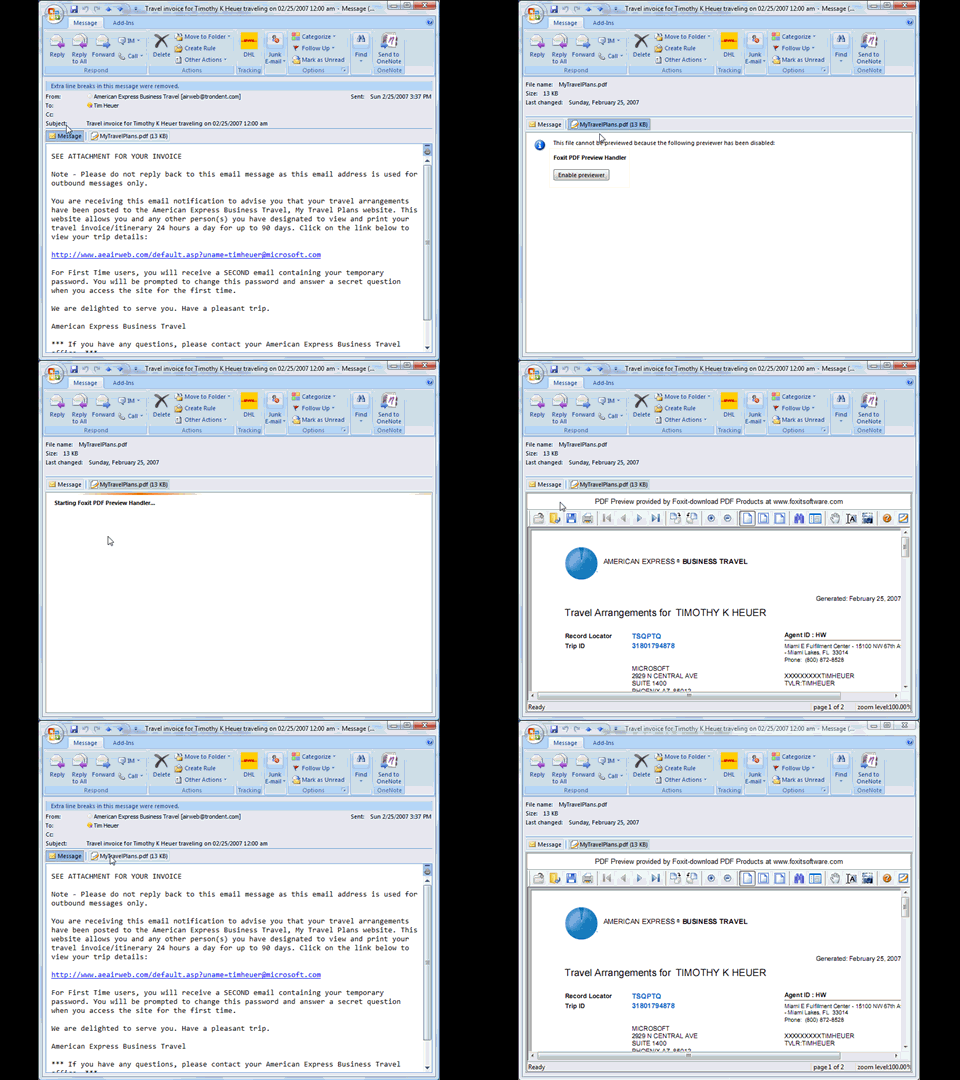
You can read more about it here.
To download:
This is free software available for you to use. It is not supported by Foxit Software, but supported by me. If you find issues, please let me know.
Want a Silverlight-branded XBOX console? Yeah, me too, that would be cool. Well, there isn’t one of those, but there is a chance for you to show your Silverlight prowess and win some cool stuff.
 The RIA development portal at DevX is currently running a contest (which ends next week, yikes, hurry!) for creating games in Silverlight 2. The contest seems relatively simple:
Step 1: Create wicked cool game in Silverlight 2
Step 2: Host it on Silverlight Streaming
How simple is that…oh yeah, except for the ‘creating game’ part. There are a few places to help you get started creating games in Silverlight. Check out the Silverlight Games 101 site which has some great posts and pointers to help in creating casual games.
The prizes are an XBOX 360 (sorry, not Silverlight branded), an 80GB Zune and a game bundle including Halo 3 and Mass Effect.
So head over to the RIA Run site and get all the details to get submitted by 15 MAY!!!
There are some really great application concepts emerging using Silverlight. I cam across two that I feel are really demonstrating great use of the technology, both in the code as well as attention to detail in the user interface. Both of these examples make great use of layouts, controls, etc. within Silverlight 2 to show what is possible with some imagination and the platform.
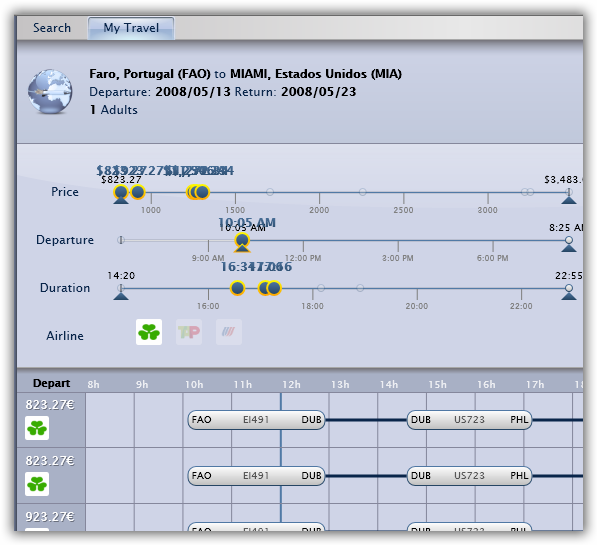
The first is the “My Travel Management” site which leverages real travel information to represent the scenario of looking at flight arrangements. It definitely is a twist on the Silverlight Airlines, providing a little more detail (and real information) about flights as well as unique visualizations on changing your travel parameters. It uses somewhat of the Office 2007 ribbon style for creating user input options and then displays the results with what I think is a well done visualization of information. Play around and you’ll see what I mean:
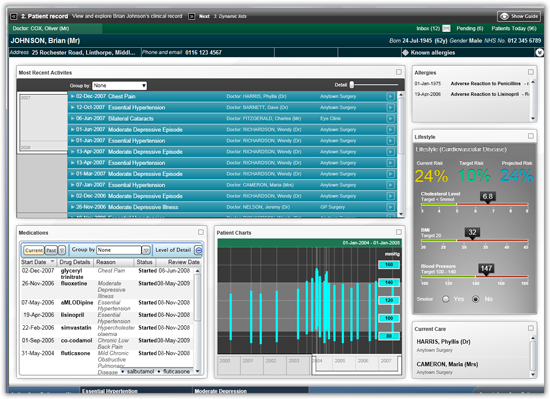
The second is a newcomer demonstrating a user interface for a full-featured healthcare application. The “Patient Journey Demonstrator” takes the concept of individual patient care and shows the lifecycle of a patient through the care process, providing views for physicians, secondary care, etc. There is a lot going on in this demonstration and provides different perspectives on controlling layout, custom controls, map integration, media integration, you name it, this one pretty much has it!
Great job to the teams who wrote these applications, keep the great work coming!
Hello readers! If you are a Foxit user, please update your reader software to the latest version ASAP. A recent exploit was found by a security research firm and Foxit turned around an update to their reader within 24 hours. Bravo to the Foxit team for being very agile and getting this rectified.
After some further research and discussion with the development team it was found that the ActiveX component used in the PDF Preview Handlers might also be vulnerable. To reconcile this, Foxit has issued a patched (and updated) version of the ActiveX control for the preview handlers. I have since patched both the Vista and the XP versions accordingly and tested them on several Vista and XP SP2 machines accordingly.
If you are using these and have installed them PRIOR to 07-MAY-2008), please take a moment to proceed with the following:
- Close any instance of Outlook 2007.
- Uninstall any versions of the Foxit PDF Preview Handler from your system.
- Download the latest version of the PDF Preview Handler (Vista or XP).
- Install the latest version.
Note: that the previous links have been updated with the patched versions as well just in case.
That should do it! If you find any issues, please report them to me. Thanks again to Foxit for being responsive and aggressive in this manner and for their support of the PDF Preview Handlers.