in my previous sample i talked about creating custom expression encoder templates.  good times.  also jesse alluded to a something him and i have been working on with regard to what he calls "hyper video" and what i've previously referred to as 'timed overlays' in an example.

in going through both of these i found an issue that i forgot to write about (but a helpful commenter reminded me: thanks ernie!) with regard to using the expression encoder templates and asp.net ajax.

the problem

expression encoder uses a model of encapsulating silverlight and the media elements within an asp.net ajax control.  because they do that, they include the Microsoft AJAX client library (MicrosoftAjax.js) in the template output.  this poses a problem when you implement their code within an asp.net page that already has asp.net ajax in it! 

if you don't make any changes and have a ScriptManager in your code in addition to the template output, you'll see errors like Sys._application, yada yada.

the solution

the solution is two part.

first, you'll notice that in your expression encoder output you'll see the script reference to MicrosoftAjax.js.  if you are including a ScriptManager on your page for other ajax-ness, then you can remove this.  why? well because ScriptManager brings down the MicrosoftAjax.js file for you automatically (read: trust me, you don't need it).

second, you have to move your other javascript references from expression encoder to within the ScriptManager.  it will look something like this when completed:

<asp:ScriptManager id="sm" runat="server"> 
<Scripts>
<asp:ScriptReference Path="~/Silverlight.js" />
<asp:ScriptReference Path="~/BasePlayer.js" />
<asp:ScriptReference Path="~/PlayerStrings.js" />
<asp:ScriptReference Path="~/player.js" />
<asp:ScriptReference Path="~/StartPlayer.js" />
</Scripts>
</asp:ScriptManager>

this is only necessary if you have expression encoder template output as well as you are implementing asp.net ajax content on your page/application.

hope this helps.
are you a student attending a US college?  here is the deal for you.  for a limited time you can get a copy of office 2007 ultimate for $60!  i don't normally post blog commercials this blatant but this is an amazing deal for college students in the US.  check out http://theultimatesteal.com for more details!

i've been asked recently why i use the template code in my samples for media playback in .  simple: free code :-).  the templates in expression encoder provide very interesting stub code handling the simple and advanced media playback capabilities already for you.  if all you need is a simple mediaelement in your silverlight application, then sure, it's a bit heavy.  but if you are developing a media playback integration with end-user controls, you may want to consider it.  it provides all the simple play/pause/etc functionality, but also the glitz of volume slider handlers, time thumb handlers, fullscreen view, etc.  very slick.

anyhow, maybe you decide to go this route and create your killer player with your own xaml (you can see a screencast of this here).  you decide you are sick with cut/paste every time and using the stub and having to replace.  no problem, create your experience as a custom template!  here's how.

first, take a look at the template files in the expression encoder template folder (<installdir>\Microsoft Expression\Encoder 1.0\Templates\en).  you'll see all sorts of replacement code in there.  if you like all of the functionality, then don't change a thing (except your xaml).  if you have special code in your implementation then spend some more time looking at the replacement values and see what you have to modify.  for our purposes here, let's assume we are only modifying the xaml UI. 

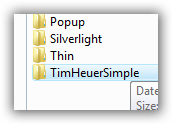
create a new folder in the Templates\en (or your language) directory.  it doesn't matter what you name it here...this is not what shows up in the output options.  i've named mine 'TimHeuerSimple' just to be clean and, well simple.

then what i do (remember in this sample here we are only replacing the xaml ui) is copy the contents of a previous template (i use corporate silver) and put it in my new folder.  done.  now you have (or should) make three changes:

    1. edit the player.xaml file in the new folder to be your desired xaml.  should be a simple open, select all, paste, save operation for most.
    2. create a new preview image so the user can get a glimpse of the preview.  it doesn't have to be named preview.jpg, but as long as it is, you'll save yourself one more change :-).  the other preview images are 649x487 so i just stuck with those sizes as well.
    3. open the Default.html file.  look at line 2.  here is where you'll change to the template name you want the user to see.  your templates are always added to the bottom of the other template listings, so no need to get trickery here with the name.  NOTE: if you created your preview image as something other than 'preview.jpg' line 3 in this file is also where you will change the pointer to that preview.

boom, you are done.  now next time you start expression encoder, you'll see your template as an output option:

there you have it...now when you want to encode your media and have the output into your custom player (or perhaps a corporate/departmental standard look and functionality) you have it.

hope this helps!

in addition to the silverlight devcamps in san francisco and chicago that i mentioned before, my friends from overseas let me know of some other silverlight madness happening.

martha rotter is going to be attending the "Silverlight sparks ignite RIA" conference in dublin on 27 SEP.  yes, dublin, ireland, not dublin, ohio, usa.  apparently this is going to happen at a large cineplex as well (i've never been to dublin, but would like to!) so it is silverlight on the silver screen!

you can find out details by going to the event information site here.

wicked cool demonstration of silverlight, ajax and handwriting recognition by lorin over at incremental blogger.  he's a tablet pc wizard and demonstrates how he modified an older activex demonstration he had a while back to use silverlight instead.

very cool!