AI in My Developer Workflow: From Prompting to Planning
When I first started using AI in my developer workflow, I treated it like a smarter search engine.
Short prompts. Minimal context. Very atomic asks. And usually in the editor as a comment, triggering the completions flow is where I operated!
“Write me a regex for X.”
“Why is this failing?”
“Convert this to C#.”

Sometimes it worked. Often it didn’t. And when it didn’t, my instinct was to tweak a word or two and try again, the same way I would refine a Google query. That mindset held me back longer than I realized.
Early Exploration: Terse Prompts, Terse Results
Those early days were mostly frustration disguised as curiosity. I was optimizing for speed, not clarity. I would fire off a one-liner, get something half right, then either patch it myself or throw it away.
The ‘early days’ is also funny to think about how fast things are moving. I’ll acknowledge that the models I was using as an early adopter also were not as advanced as they are as of this writing in January 2026, nor will be in a month, 2 months, 3 months from now! The breadth of models and their capabilities is one of the rapid accelerations in this space.
What I didn’t appreciate at the time was that I was giving the model no room to reason. I was asking for outcomes without offering intent. No constraints. No tradeoffs. No plan.
AI isn’t terrible at this, but it is also not where it shines. I was leaving a lot of capability on the table.
The Shift: Planning First, Prompting Second
The biggest unlock for me wasn’t a new model. It was planning. I saw my peers like Pierce Boggan really leverage a two-phased approach using custom prompts (what we called ‘chat modes’ earlier) around Planning and Implementation. Pierce shared some early iterations around how he did that and I found myself really starting to switch to these modes (here is what I used to use: Planning, Implementation).
Once I started explicitly asking the AI to plan before writing code, everything changed. Instead of jumping straight to implementation, I would ask for a high-level approach, assumptions, risks, tradeoffs, and open questions.
This became useful not just for greenfield projects, but especially for bigger features inside existing systems. The kind of work where you need to think about impact radius, backwards compatibility, and how something will age over time.
This planning mode is now built in to nearly every tool. There are some heavier-weight workflows like SpecKit and things that require some ‘constitution’ setup and if that’s for you, that’s great. Those also can be re-usable inputs to any planning mode as well. For me an open slate has been fine and I just iterate IN planning mode and ensure that I address any follow-ups
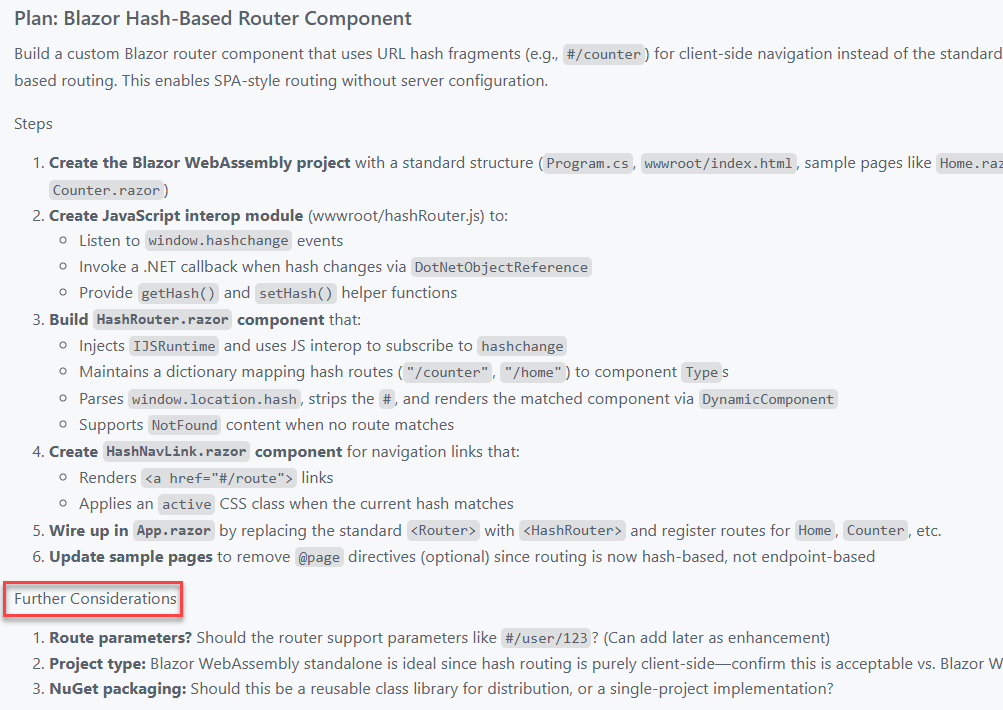
The real step change came when I started persisting those plans as an artifact and task list (again, before task-tracking was in any of the tools I used).
I now drop them into a /docs/ folder. Sometimes they are lightweight notes. Sometimes they look more like a product requirements document. Either way, they live alongside the code. That means they are reviewable, shareable, and reusable.
Treating that conversation as an artifact was not only a context-saving changer, but also a time one! Those documents also become prompts. I didn’t have to rely on memory sessions and instead could get back later and start prompting with “Let’s work on part 3 of the plan now” and Copilot could pick right up with all the context. When I come back days or weeks later, I can feed the plan back into the model and say, “Continue from here.” That continuity has been incredibly valuable. So when offered to ‘start implementation’ or save the plan…always opt to save the plan!
Agents and Longer-Lived Context
From there, moving into agents felt natural.
I have been starting many projects using Burke Holland’s Opus Agent, and it was a great on-ramp. What clicked for me was not just the output, but the structure.
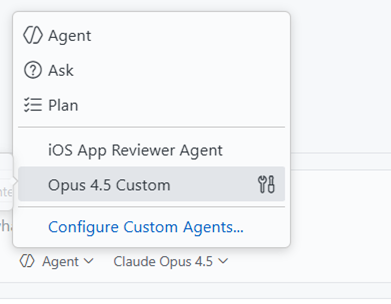
Sub-agents handling focused tasks. Instructions that evolve as the project evolves. A clearer separation between thinking and doing. Instructions to also persist new-learnings for the benefit of later sessions. This part of the prompt can’t be stated enough how valuable it is. Here’s the snippet:
Each time you complete a task or learn important information about the project, you should update the `.github/copilot-instructions.md` or any `agent.md` file that might be in the project to reflect any new information that you've learned or changes that require updates to these instructions files.
That structure maps much more closely to how I actually work as a developer. Iterative. Layered. Occasionally opinionated.
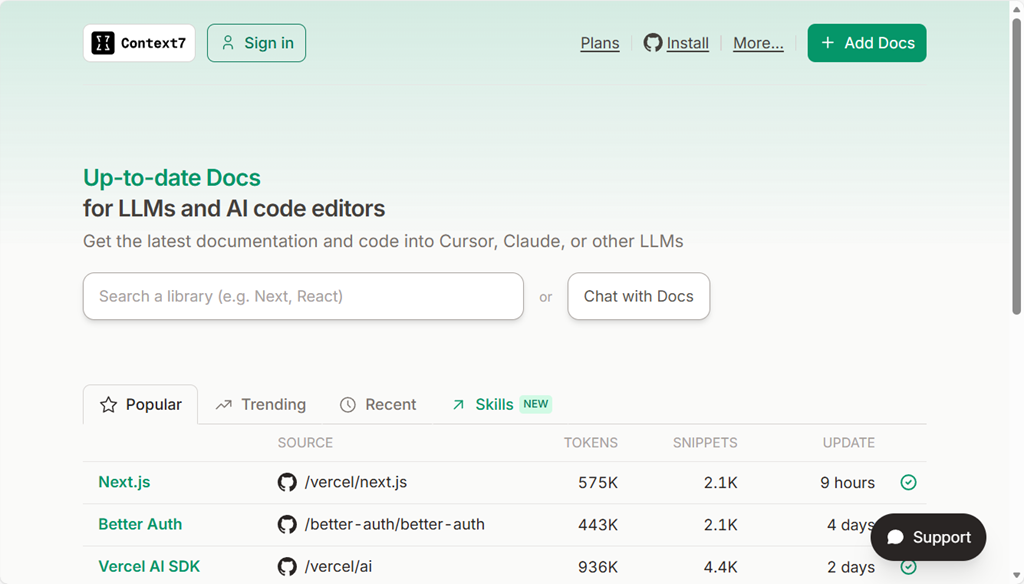
Context helpers are also essential. I’ve found Context7 (who was a first mover in the MCP server context race) to be fantastic for my needs so far! It serves as part of the researcher in this custom agent fetching information about frameworks, documentation about guidelines, blog posts that might be helpful, and reasoning with all of that to provide me with some well-rounded options. Seriously, use it.
Sessions, State, and Knowing When to Start Fresh
Another habit I have had to learn is session management.
I now treat a new problem like opening a new terminal window. If I am switching domains, rethinking an approach, or starting a distinct feature, I open a new session.
That reset matters. It avoids dragging along stale assumptions and accidental context. State is powerful, but only when it is intentional.
Different Models for Different Jobs
I also no longer believe there is a single best model. This has really been where the massive advancements have taken place in my opinion. GPT was amazing, until Claude Sonnet 3.x came out, until Claude Sonnet 4.5 came out, until Claude Opus 4.5 came out, until Gemini Pro 3, etc, etc.
Right now, my personal defaults look like this:
- Opus 4.5 for coding and deeper technical reasoning
- Gemini Pro for UI exploration and visual-adjacent thinking
- “-mini” variants at time for some speed needs
They have different strengths, and leaning into that has made the workflow feel more like a toolbox and less like a magic button. Your own mileage may vary depending on the tech, problem space, and tool you are using. Try them all is my advice and you’ll settle on one that works with your style, your tooling and your desired output you prefer. I focus on finding the one to help me complete the ‘job to be done’ versus any bias I have on whether it is good for any given framework I may be familiar with.
Debug inner-loop
I’ve also got a lot more comfortable with debugging with the Copilot in my inner-loop. If I have any error that wasn’t caught in build (where Copilot would normally see it and fix), or a UI that isn’t quite right, or an output that is wrong…I just copy paste that into that same fix session (or use a new one if a new problem) and sometimes just say “fix it.” Quite literally I’ve taken screenshots, pasted, said “fix it” and it does – interpreting the image, the issue, and scoping the fix. Amazing iterative process for most things! Heck I even pasted Apple App Store rejection notes into a new session “app got rejected, here was the notes” and BOOM with confidence it started to get to work Ah, I see where <appname> is violating this guideline, I’ll work on a fix… These moments make me smile every time.
An Honest Take: I Still Prefer a GUI
One thing worth saying out loud is that I still strongly prefer working in a GUI. Sorry, I’m just old I guess.
A lot of AI tooling momentum right now is centered around the CLI. Agents that live in terminals. Prompts piped through commands. Workflows that assume you want to live in a shell all day.
While I can do that, I do not particularly enjoy it. For me, the CLI experience is not intuitive.
I am far more effective inside environments like VS Code or Visual Studio, where I already live. I can review code visually and contextually. I can leverage other extensions alongside AI. I can navigate files, diffs, tests, logs, and resources in one place. I can reason about the project as a whole, not just a stream of text. That familiarity matters. AI works best for me when it is embedded into that environment, not when it pulls me out of it. When I am already thinking about a feature, a refactor, or a bug, I want the AI to meet me there rather than forcing a context switch just to interact with it. Easier for me to mentally see other context, relationship to my repo, quick diff reviewing, etc.
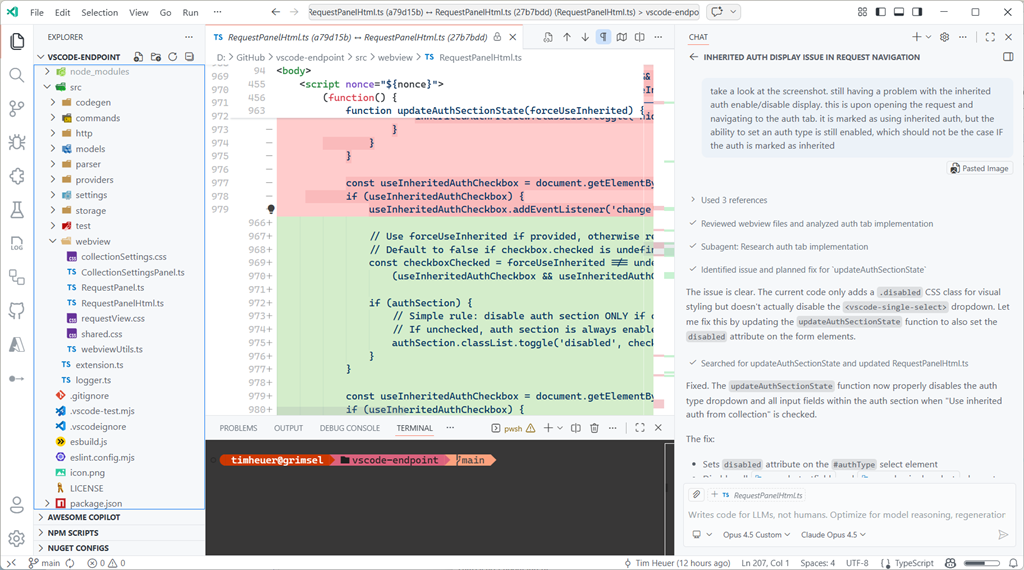
This also ties back to planning. Having plans, docs, and context living next to the code makes everything easier to review, validate, and evolve. The GUI is not just comfort. It is leverage.
I know plenty of developers feel the opposite, and that is great. This is just what works best for me. And I acknowledge just like my transition to using AI, my transition to using different methods of development will also evolve I’m sure. I’m personally just not seeing a huge benefit to moving to a CLI-only flow for what I do development on these days – I don’t need 10 terminal instances running at one time.
Acknowledging the Privilege
One thing I do not want to gloss over is that this workflow is enabled by paid plans. That matters. Not everyone can or should stack subscriptions just to experiment.
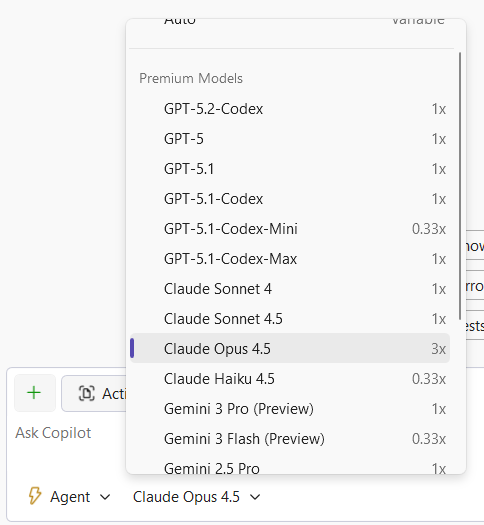
I am fortunate to be able to explore these tools deeply, and I try to stay conscious of that when talking about what has worked for me. I’m starting to pay more close attention to what feeds into my context window either on-purpose or accidental as I know it impacts token-based billing and just efficiency of the LLM as well.
Where I Have Landed
AI has not replaced how I build software. It has changed how I think while building it.
I plan more.
I am clearer about intent.
I have found a ‘peer’ to communicate with, not command. The more I can express as I would with a co-worker, the greater success I find.
And ironically, those improvements would still pay off even if the AI disappeared tomorrow.
That might be the biggest takeaway for me. The most valuable part of integrating AI into my workflow was not automation. It was becoming a more deliberate developer.
Please enjoy some of these other recent posts...