As you may know, most wheel support is detected at the browser level.  In Silverlight, this makes adding mouse wheel support an interop action with the HTML host.  While people have implemented it, it has mostly been for the use of DeepZoom applications.  In fact, the latest DeepZoom Composer tool actually adds this support now if you choose to have a Silverlight project as a part of the output of the collection.

But what about other controls, namely ScrollViewer?  Having content in ScrollViewer enables ScrollBar functionality but doesn’t automatically respond to mouse wheel actions.  Adam Cooper has solved this gap problem by adding a helper class to which you can attach to your ScrollViewer object.  Let’s say our XAML is this:

   1: <ScrollViewer x:Name="MyScroller" Width="300" Height="100" Background="AliceBlue">
   2:     <TextBlock TextWrapping="Wrap">
   3:         Even if you use my workaround ...
   4:     </TextBlock>
   5: </ScrollViewer>

If we run the application our content is scrollable, but not with the wheel.  Add Adam’s control reference and these lines of code in our Page.xaml.cs class:

   1: using Cooper.Silverlight.Controls;
   2:  
   3: public Page()
   4: {
   5:     InitializeComponent();
   6:  
   7:     ScrollViewerMouseWheelSupport.Initialize(this);
   8:  
   9:     MyScroller.AddMouseWheelSupport();
  10: }

and we have automatic wheel scroll support.  Great job Adam!  His post talks about various other methods of nesting and how it actually works.

It would be nice if you could just create MyCustomScrollViewer but unfortunately you cannot subclass ScrollViewer for some reason. 

Some might be also wondering how they could add this functionality to ListBox, since the default control template for ListBox contains a ScrollViewer.  Good question I thought as well and I went about trying.  There are some challenges to using the default ListBox.  First, the visual tree of the template is only loaded after the layout has been updated.  I’m not sure why it isn’t in Loaded, but in LayoutUpdated it is available.  So from this event you can use VisualTreeHelper.GetChild(ListBox, 0) to get the root node of the template.  From there you can use FindName(“ScrollViewer”) to get to the ScrollViewer in the default control template.

Here’s where it gets funky.

While you can add Adam’s extension method just fine with no exceptions, it doesn’t exactly work when rendered.  Here’s the code I used:

   1: void DefaultList_LayoutUpdated(object sender, EventArgs e)
   2: {
   3:     // root node
   4:     Grid rootGrid = VisualTreeHelper.GetChild(DefaultList, 0) as Grid;
   5:     
   6:     // find the ScrollViewer
   7:     ScrollViewer scroller = rootGrid.FindName("ScrollViewer") as ScrollViewer;
   8:     
   9:     // add the mouse wheel support
  10:     scroller.AddMouseWheelSupport();
  11:  
  12:     // stop looking
  13:     DefaultList.LayoutUpdated -= new EventHandler(DefaultList_LayoutUpdated);
  14: }

And while no errors occur, I believe other events in the ItemTemplate are eating my events.  If anyone has any wise thoughts, post the comments here.  But either way, thanks Adam for this great utility for ScrollViewer!

A few weeks ago my wife and I traded “up” to a Canon EOS 40D digital SLR camera.  We also invested pretty heavily (for non-professional, borderline rookies) in lenses that we knew we’d use most often.  When the Canon Digital Rebel (EOS300D) first came out, I bought it…what can I say, I’m a geek!  I paid over USD $1K for the kit and it was/is a good camera.  Still, it was the first and probably not even considered ‘prosumer’ grade. 

Advance about 3 years (maybe 4?), for the same price (actually a little less), I’m in a 40D with amazing lenses, functionality and quality.  The quality/price ratio has been getting exponentially higher as this digital photography progresses.  And then I hear about the Canon 5D Mark II camera with video capture.  I’m not going to run out and buy this one (at USD $2700 for the body only it is a bit much, but maybe in a year :-)), but this story is amazing!  Vincent Laforet is a 33 year old photographer in New York.  His work is impressive.  Recently he convinced Canon for a little try-before-buy deal.  He asked to borrow the 5D Mark II for 72 hours.  He would use his own lenses and shoot some photos and video.  The resulting images/video would be royalty free to use (I think that was the deal).  Using nothing but his existing lenses and the new camera he produced an amazing video (with no re-touching) which he calls Reverie.

You must absolutely spend the time to let this video download and watch it.  The quality is amazing…and that’s with some compression so it didn’t chew up amazing bandwidth on the web.  Wow.  Simply wow.  More details on the story and a behind-the-scenes video at Vincent’s blog.

Silverlight MVP and friend, Joel Neubeck, has started a series in the Expression Newsletter.  The first article is available now and is part of a 6-part series in building a casual game in Silverlight:

    • Getting Started – Architecture / framework
    • Movement and collision detection
    • Design – Sprites, boards and dialogs
    • Animations and sound
    • Initialization and Deployment
    • Advanced concepts (Physics, Multiplayer, Optimization)

This first article talks about some of the framework that will be used, specifically an MVC model:

“In Silverlight development, MVC is an excellent way to support role specific tools such as Visual Studio for the developers and Expression Blend for designers and animators.  Using MVC in a game ensures a foundation that isolates a developer’s ability to control state (position, movement and collisions) while allowing designers full control over how game elements are rendered.”

This should be a good series to watch and add to your toolbox for developing casual games in Silverlight 2.

Ok, this is getting ridiculous.  First the removal of the ‘I Am Rich’ application (which whatever your thoughts on the app itself, it didn’t violate any rules, just that the powers that be at Apple didn’t like the pricing scheme), and now others are being prevented from joining the AppStore.  Here’s the latest two I’m aware of:

Podcaster

Podcaster is a native iPhone app developed by someone in the Apple developer program and not using anything that isn’t permitted in the terms and conditions of the SDK.  It provides the ability to search/add/download podcasts from your iPhone without having to have any software on a desktop sync for updated downloads.  The developer, Alex Sokirynsky, has let the world know of the reason his app was rejected by the AppStore:

“Since Podcaster assists in the distribution of podcasts, it duplicates the functionality of the Podcast section of iTunes.”

Actually it provides more functionality, Apple…is that your problem with it?  That users are able to add new podcast subscriptions from their iPhone and not wait to get to their iTunes sync machine because you don’t allow guest syncing from iTunes?  And so what if it duplicates the podcast section of iTunes?  This is an iPhone app, not an iTunes extension.

MailWrangler

The latest to get hit is MailWrangler, a native iPhone app that enables access to GMail accounts.  The developer submitted the app on July 17th and received a reply more than 30 days later indicating:

“…Your application duplicates the functionality of the built-in iPhone application Mail without providing sufficient differentiation or added functionality, which will lead to user confusion…”

There was also other feedback given to the developer, Angelo DiNardi, that seemed appropriate (no way of editing the account) to which he agrees and seems like open to fixing.

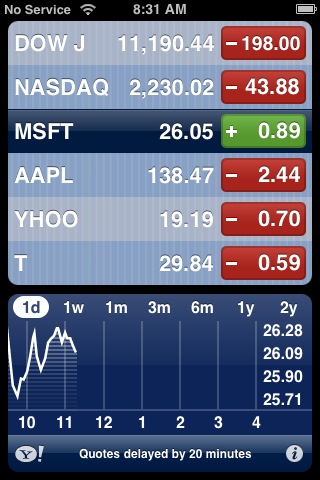
So the problem seems to be duplicity of features according to these two rejections.  Really?!  So all those calculator applications (currently over 30 doing a search on ‘calculator’) don’t duplicate the built-in calculator functionality?  What about the 10+ weather applications that seemingly provide the same features as the built-in Weather application?  What about the StockWatch app ($2.99) that provides what looks like identical functionality of the built-in Stocks application?


C’mon Apple, this is getting ridiculous.  Your are letting the likes of “DaysTo Christmas” in the AppStore ($0.99 by the way in case you can’t look at a calendar), but not allowing me to choose if I want to use a different mail app or download podcasts wirelessly?  This is getting absurd.

Are they violating the terms?  I don’t think so.  A look at the iPhone SDK Terms shows no restrictions on the types of applications that can be built (except for real-time route guidance/automation) only noting that applications “…may only use Published APIs in the manner prescribed by Apple and must not use or call any unpublished or Private APIs.”  Neither of these applications do that!  It seems there is a conflict in the SDK Terms and the AppStore Terms…which I haven’t seen – anyone have a link to AppStore-specific terms that might indicate that no duplicate functionality can exist?  I’m guessing it isn’t there.

Apple – either enable alternate distribution channels for iPhone applications, or stop rejecting my choice as a consumer because it might be better functionality than you are providing.  Guess what, that’s what developers do – find ways to increase the value of the platform.  You shouldn’t have a developer program if you think people aren’t going to find ways to implement new functionality that may compete?  What gives Apple?  Why are you deciding what I can/can’t install when all other things being equal (i.e., not violating any terms of any SDK))?!  I can’t believe there is no developer outrage beyond these two developers. 

Apple is increasingly falling out of favor with the hi-tech crowds by doing things like this without explanation.  I only see this increasing.  Someone in Steve Jobs’ organization needs to get a wake-up call and start making some changes.  I think the easiest change for the AppStore would be to enable other distribution channels (and not just the beta-tester channel they finally opened up for app developers) so that anyone who has a native app built with the SDK can provide me, the user, the choice to decide what may “lead to user confusion” or what might be better functionality!

Wake up Apple…seriously.

While you can do a lot within Silverlight with effects, as demonstrated by techniques used like seen in Shine Draw, you may also want some helping hands to implement these.  It’s not always fun to write some code for when you just want to be able to drop in an effect on your application.  You want to concentrate on your application logic and get assistance in creating some of the visual effects.

If you didn’t know, there are some libraries out there that can help.  I’ll highlight two of them here (if you know of more, please post in the comments).

SvLite Effects from Cellbi

This library from Cellbi provides various effects in their library that you can see on their demo site.  Included are:

    • Carousel
    • Wipe effects
    • Tweens (easing, bounce)
    • and some bonus effects/controls (modal window for example)

They are pretty interesting and you should check them out.

Silverlight.FX from Nikhil

Don’t know who Nikhil is?  Well for one he’s wicked smart.  He’s a principal architect at Microsoft working on a lot of different things and his work is seen in a lot of ASP.NET.  He’s implemented some effects into a library he calls Silverlight.FX.  Included effects/transitions are:

    • Fade
    • Highlight
    • Shake
    • Pulse
    • Spin
    • Resize
    • Move
    • Composite
    • Cross-fade
    • Blinds
    • Slide
    • Flip

You can view these in action on Nikhil’s sample page and read about the framework as well as download it here.  I’m always amazed at the stuff he comes up with.

So two pretty good effects libraries you can play around with.  Have fun!