For about a year now I've been using Amazon S3 services.  Mostly I'm using it for image storage for my blog and web site.  I decided to stop using Flickr for screenshot stuff and keep it to 'photographs' when I can.  I signed up for an S3 account and have been using it for screenshot type stuff since then.  If you don't know, S3 is a service that basically enables 'object' storage in the cloud.  An object can be anything really, but I'm treating it like a remote host for images.

The one thing Amazon doesn't provide themselves is a tool to manage your account...it is really an API only.  There are plenty out there that have implemented user interfaces around S3 services.  My two favorites are the S3 plugin for Firefox and BucketExplorer.  I use the Firefox one more than anything for uploading just because it was faster for what I needed.

UPDATE: While I still use the Firefox extension and always have it installed, I find myself using CloudBerry Explorer a LOT more.  It is the most full-featured (free) Amazon S3 tool I've seen and I love it.  They keep adding little subtle things to that make my process even easier!  Check it out today!

But the problem is that neither of the tools really incorporated *why* I was using S3 for me, which was primarily with my blog.  So a year ago I grabbed some of the sample code from the S3 developer site and whipped up a quick-and-dirty plugin for Windows Live Writer that I've been using.  I already had my Flickr4Writer plugin that I used for Flickr, but like I mentioned, I was using S3 for other image hosting now.  I was lazy though and only did a read version that inserted an image.  I was still relying on the other tools to upload, change permissions, etc. -- my workflow sucked.

Well as a part of The Code Trip, we set goals to release projects on CodePlex.  I decided to put this project out on CodePlex as far as I had it.  I immediately had a partner in Aaron Lerch.  He jumped in and within a day basically put in the remaining features that were lacking.

The result is the S3 Browser for Windows Live Writer project:
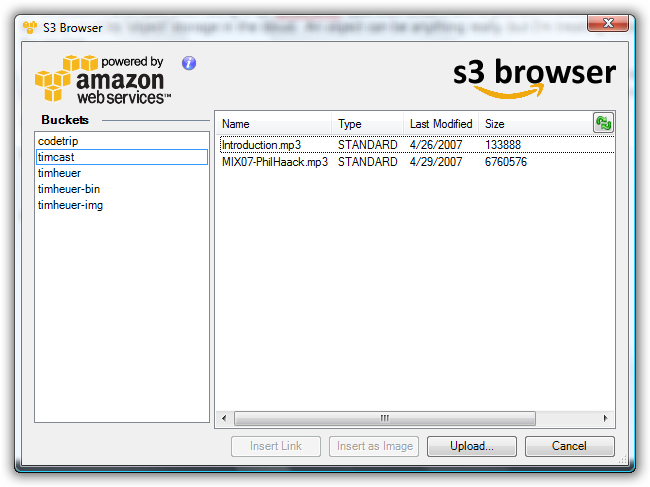
The initial 0.91 beta release is available on the project now.  Please give it a spin if you are a Live Writer and Amazon S3 user!

When working with Silverlight 2, most will be working with managed code (c#, vb, etc.).  But likely people are working with Silverlight as an additive value to their web application, providing some enhanced user experience to an application.  there may be times where you will still need to call back into the hosting html context.  For then, you'll want to be familiar with two objects HtmlDocument and HtmlPage. 

Both of these objects provide access to the page context hosting your silverlight control.  If you need to seek things in the HTML DOM, you could use the HtmlDocument class.  For example, let's say I need to change the innerHTML property of some <div> element:

using System.Web.Browser;

HtmlDocument doc = HtmlPage.Document; doc.GetElementById(“mydiv”).SetProperty(“innerHTML”, “<b>hello world</b>”);

Also, i might want to interact with existing client-side functions, perhaps from client-side frameworks or other library utilities you might have developed on your own.  If I have a function on my page called "foo()" I would invoke it like this:

using System.Web.Browser;

HtmlPage.Window.CreateInstance(“foo”);

And if I had parameters in a function, like "foo2(theAlert)," I would invoke it like this:

using System.Web.Browser;

HtmlPage.Window.CreateInstance(“foo2”, new string[] { “tim heuer” });

This may not be the norm with your Silverlight project, but I hope this helps clear some things up!  I am including the "using" statements in my c# samples so you know where in the namespace the class library exists.

John Lam just announced that the Dynamic Silverlight bits are now available.  What that does is enable you to write code targeting Silverlight in Ruby (IronRuby) or Python (IronPython).

The Dynamic Silverlight bits are implemented as Silverlight extensions which means that they will be downloaded on an as-needed basis.  The additional download is currently about 712KB download in size.  If you are interested in looking at running Ruby in the client on the desktop in addition to if you are running Ruby on the server, this might be of interest to you.  Check it out and some of John's tutorials as well as an update on IronRuby from his MIX08 session.

We're off!  Just minutes ago The Code Trip left the Venetian hotel in Las Vegas en route to our first stop in Salt Lake City.  It's going to be a late night of coding and editing of some video.  Now that we've officially left, I'll share the actual pictures of our bus so you can be on the lookout for us:

The Code Trip

Tomorrow (late tonight) we roll in to Salt Lake for the combined .NET community user group meeting at the Franklin Covey building.  We're going to spend 2 hours talking about what we saw at MIX08.  We've got a special guest on board, Kelly White from the Portland area user experience group (PDXUX) who will be sharing his thoughts on Silverlight 2.  We'll show some of the Deep Zoom technology and some other great stuff!  Don't miss this if you are in the area.  See you soon!

The group that brought you one of the first Silverlight end-to-end games (Zero Gravity) is now featured for some of the work they've done with Silverlight 1.0 and Silverlight 2 for Miniclip.com, the largest online gaming site in the world.

You can view the Terralever case study online here.  The Terralever crew is interviewed in four different segments talking about the project from a designer, developer, business and technical perspective.

The team built two casual games for Miniclip.com on both versions of Silverlight.  The first, a Silverlight 1.0 game called 'Zombomatic 3000' has been on Miniclip's site for a few weeks now.  It is a puzzle-based game built entirely using Silverlight 1.0 technology and the tools.  The team took the vision further and had been working on Tunnel Trouble, a game with more interactivity, more logic and a more dynamic game play.

I've enjoyed watching the process happen and have been amazed by the talent that has been producing these games.  I've also been impressed with how far the team has been able to take Silverlight to its limits and the challenges and learnings they have faced along the way.  They presented a session at MIX08 on their experiences with developing Tunnel Trouble if you want to check it out as well.

Congrats to the Terralever team for building the first commercial games built on Silveright!